
Array ( [0] => railway-station [1] => terh ) TERHA H Station | Trains From and To TERHA H Railway Station-NativePlanet
Search
Home » Trains » Trains From TERHA H Station

TERHA H Station | Trains From and To TERHA H Railway Station

Check the detailed information about TERHA H Railway Station. If you are planning to travel to TERHA H by train, then find the Complete information about TERHA H Train Station, nearest railway stations to TERHA H , distance to TERHA H from major indian cities, list of trains from and to TERHA H , train timetable, Arrival & Departure time, Running Days etc via Native Planet.
Trains to TERHA H Station - List of TERHA H Trains and Train Numbers
Scroll down to get the complete list of Trains to TERHA H Station, Trains from TERHA H , and Trains Passing through the TERHA H Railway station. Click on respective train name to get more information about the train, its route, on which days they arrive at a particular station etc...
# No Train Name (Num) Departure Arrival Running days
1 55181 CI THE PASS 06:04 08:35
  • SUN
  • MON
  • TUE
  • WED
  • THU
  • FRI
  • SAT
2 55182 THE CI PASS 11:49 12:50
  • SUN
  • MON
  • TUE
  • WED
  • THU
  • FRI
  • SAT
3 55183 CI THE PASS 15:19 17:50
  • SUN
  • MON
  • TUE
  • WED
  • THU
  • FRI
  • SAT
4 55184 THE CI PASS 21:06 22:05
  • SUN
  • MON
  • TUE
  • WED
  • THU
  • FRI
  • SAT
NativePlanet provides you with an accurate and up-to-date information on Indian Railways. Find all the details about Indian Railway, and have all your queries answered here regarding the train timings, PNR Status, train enquiry details, trains operating between stations, station names and station codes, train numbers and train names and more.
Connect To Train Wifi

5 Quick Ways to Connect To Free Wifi

  • Step 1

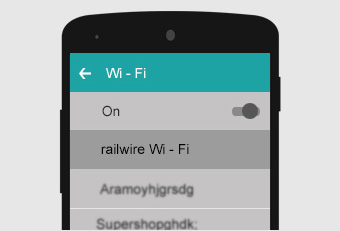
    Go to the WiFi settings in your device. Now, select Railwire network.

  • Step 2

    In the next step, you have to open the browser and into the window, enter the URL of railways www.railwire.co.in.

  • Step 3

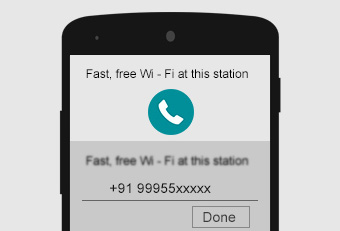
    This will lead you to the login screen. Here your phone number needs to be entered. Next, you have to click on – receive SMS.

  • Step 4

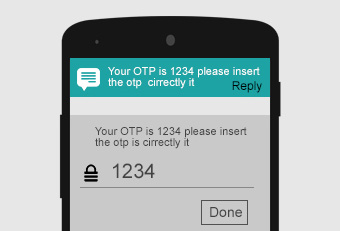
    You will receive an SMS which will be an OTP code in 4 digits. Go to the WiFi login. Fill up the OTP code here. Now, click on – done.

  • Step 5

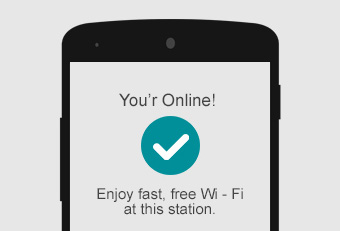
    A checkmark will indicate that you have been connected to free WiFi.

Get connected to free WiFi through these 5 steps. You can do whatever you want: play the game that you always wanted to play, read any book or watch any video by easily downloading them. Hurray!