
Array ( [0] => railway-station [1] => lkjn ) LINK JN CABIN Station | Trains From and To LINK JN CABIN Railway Station-NativePlanet
Search
Home » Trains » Trains From LINK JN CABIN Station

LINK JN CABIN Station | Trains From and To LINK JN CABIN Railway Station

Check the detailed information about LINK JN CABIN Railway Station. If you are planning to travel to LINK JN CABIN by train, then find the Complete information about LINK JN CABIN Train Station, nearest railway stations to LINK JN CABIN , distance to LINK JN CABIN from major indian cities, list of trains from and to LINK JN CABIN , train timetable, Arrival & Departure time, Running Days etc via Native Planet.
Trains to LINK JN CABIN Station - List of LINK JN CABIN Trains and Train Numbers
Scroll down to get the complete list of Trains to LINK JN CABIN Station, Trains from LINK JN CABIN , and Trains Passing through the LINK JN CABIN Railway station. Click on respective train name to get more information about the train, its route, on which days they arrive at a particular station etc...
# No Train Name (Num) Departure Arrival Running days
1 54160 ALD JHS PASS 06:52 18:15
  • SUN
  • MON
  • TUE
  • WED
  • THU
  • FRI
  • SAT
2 51189 ET ALD PASS 09:00 09:40
  • SUN
  • MON
  • TUE
  • WED
  • THU
  • FRI
  • SAT
3 54159 JHS ALD PASS 17:30 18:45
  • SUN
  • MON
  • TUE
  • WED
  • THU
  • FRI
  • SAT
4 51190 ALD ET PASS 19:32 15:30 (Next Day)
  • SUN
  • MON
  • TUE
  • WED
  • THU
  • FRI
  • SAT
NativePlanet provides you with an accurate and up-to-date information on Indian Railways. Find all the details about Indian Railway, and have all your queries answered here regarding the train timings, PNR Status, train enquiry details, trains operating between stations, station names and station codes, train numbers and train names and more.
Connect To Train Wifi

5 Quick Ways to Connect To Free Wifi

  • Step 1

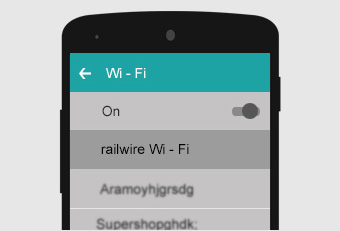
    Go to the WiFi settings in your device. Now, select Railwire network.

  • Step 2

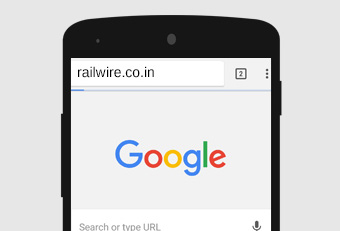
    In the next step, you have to open the browser and into the window, enter the URL of railways www.railwire.co.in.

  • Step 3

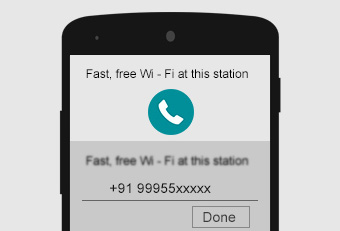
    This will lead you to the login screen. Here your phone number needs to be entered. Next, you have to click on – receive SMS.

  • Step 4

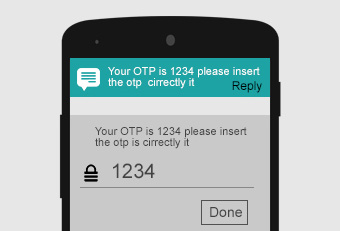
    You will receive an SMS which will be an OTP code in 4 digits. Go to the WiFi login. Fill up the OTP code here. Now, click on – done.

  • Step 5

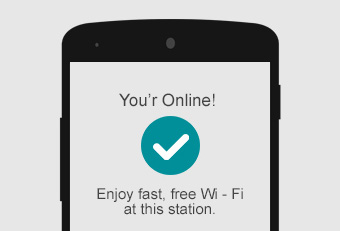
    A checkmark will indicate that you have been connected to free WiFi.

Get connected to free WiFi through these 5 steps. You can do whatever you want: play the game that you always wanted to play, read any book or watch any video by easily downloading them. Hurray!